

Use DragLocker to enable drag lock with any mouse connected to your Mac.
Works with
Any Mouse


macOS Sonoma (14.0) or later
Scroll Down for More Information

You can customize it to drag lock only with specific mouse buttons or choose the method to trigger the drag lock.
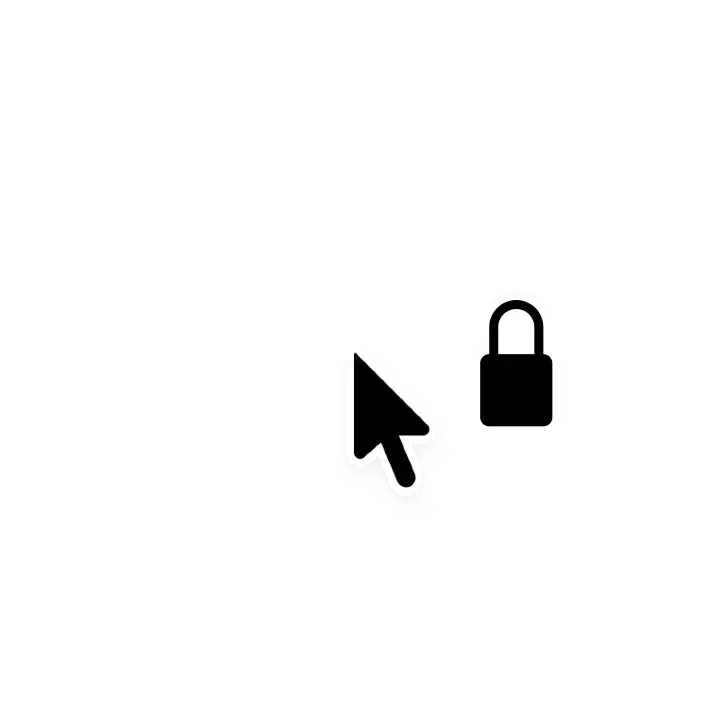
By setting it to show the icon in the app settings, an icon will be shown near the pointer while drag lock is active, letting you know the current state at a glance.
You can customize drag lock settings for each application, allowing it to work only in specific apps or to exclude specific apps.
Yes, it works.
It supports all pointing devices, from the built-in trackpad on the MacBook to the Magic Mouse, Magic Trackpad, and standard PC mice.
No, the app is very lightweight.
Of course, the app itself is small in size, but it is also designed to minimize CPU and memory usage while running. Even battery-powered MacBook models have minimal impact on battery life, so you can use them with confidence.
DragLocker supports locking the left mouse button (Button 0), the right mouse button (Button 1), and the scroll wheel button (Button 2). By default, only the left mouse button is enabled, but you can customize this in the settings.
No, it does not collect or transmit any data.
DragLocker does not collect, store, or transmit any data except what is necessary for drag lock feature, so you can use it with complete peace of mind, free from any privacy concerns.
For more details, please see Privacy Policy.
DragLocker achieves its drag lock feature by modifying (overriding) the system's mouse down and up events. Therefore, it requires accessibility permissions to modify these mouse events.
Yes, it should work without any issues with most apps.
However, please note that conflicts may occur if you use it in combination with apps that override mouse events.
If you encounter any issues when using it with other apps, please contact me via Support and Feedback page.
I welcome your feedback, including reports of bugs you find and your impressions of using the app. For information on how to send feedback, please visit the Support and Feedback page.
If you find DragLocker very useful, I would be glad if you would support the developer. It will motivate me to continue development!
If you would like to support me, you can do so using the following services.
I'd be very happy if you could try out my other apps as well! You can see my other apps here.

Copyright ©︎ 2026 Taiga Imaura


